The 7 Best Office Cable Organizers | FEB 2026
Most workspaces struggle to keep cables in their place and tangle free. Learn about this month's best items and methods of getting your workspace and cables under control.
Joshua Leist at Clever Home Finds
2/16/20269 min read


A cluttered desk makes it harder to focus, wastes valuable space, and can quickly turn everyday work into a frustrating experience. Choosing the right desk organization can help create a cleaner, more functional setup by elevating screens, organizing supplies, and making better use of vertical space. From compact desktop organizers to adjustable monitor risers, the options below are designed to support a more organized and efficient workspace without overwhelming your desk.
At a Glance
Best Overall:
PAMO Cable Manager
Jump to Review
Best Budget:
Jump to Review
Best for Small Spaces:
MVYC 120 PCS Cable Tie Set
Jump to Review
Best Variety:
EUREKA 316 PCS Cable Management Kit
Jump to Review
Best Under Desk:
SRJZMLY Cable Management Tray
Jump to Review
Best for Adaptability:
Jump to Review
Best Premium:
Ascrono Under Desk Cable Manager
Jump to Review
Best Overall
PAMO Cable Manager
Credit: Amazon
Pros
Sturdy, powder‑coated steel trays hold heavy power strips and laptop bricks
Cons
Requires screws for installation, so it may not suit rental desks
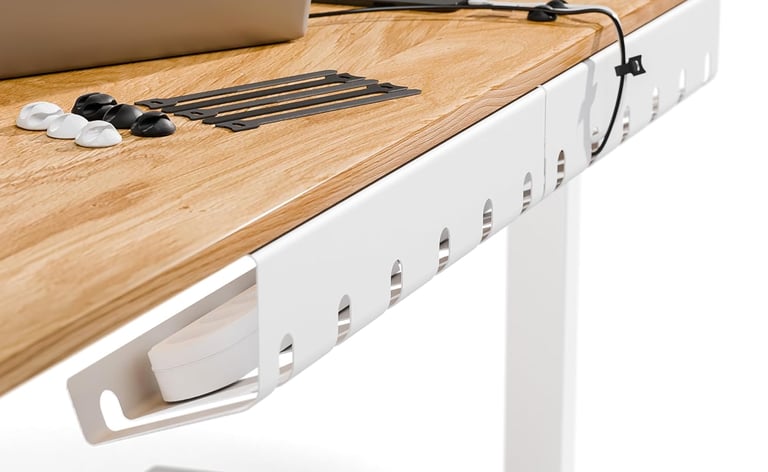
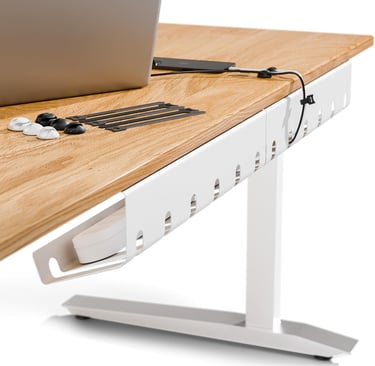
This set of two cable trays from PAMO is ideal for anyone who wants a durable under‑desk solution that won’t sag or warp. The sturdy 1 mm steel construction and 6 included cable ties allow you to route HDMI, VGA, and power cables neatly while still accessing laptop chargers or power strips thanks to the Easy Access cutout. It shines in home offices, gaming setups, and height‑adjustable desks where cables need to remain organized but out of sight. Rounded edges and a powder‑coated finish help it stand out against cheaper plastic trays, while the set of six reusable cable ties offers immediate value for taming bulky cords.
Location: Under desk | Capacity: Two 17.32‑in trays | Material: Alloy steel | Dimensions: 17.32 in × 3.94 in (per tray)
Best Budget
MUXA Cord Organizer
Credit: Amazon
Pros
Magnetic buckle design lets you secure or release cables one‑handed
Cons
Adhesive needs 12–24 hours to cure before heavy use
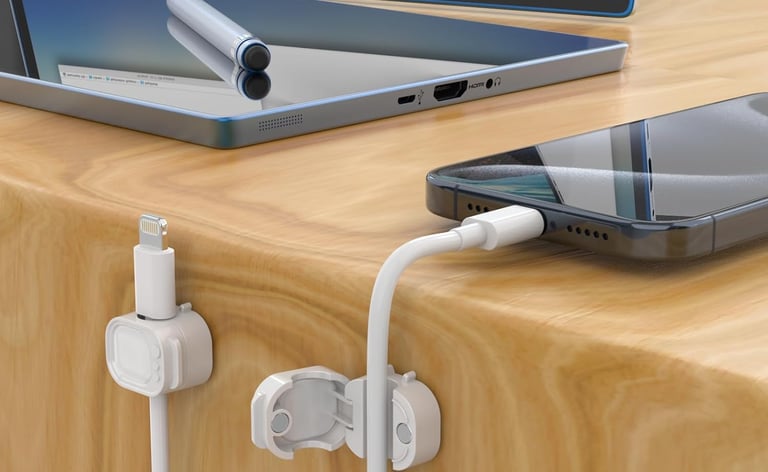
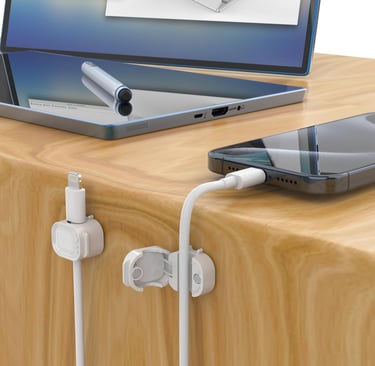
The MUXA magnetic cable clips are perfect for users who just need to tidy a few charging cables or headphone wires at an unbeatable price. Each clip attaches to a smooth surface with 3M adhesive and uses a spring‑loaded magnetic buckle to secure cords up to 8 mm in diameter. This design allows you to open or close the clip with one hand, making it especially useful on bedside tables or in cars where you need quick access. The clips work with most charging, HDMI or auxiliary cables, and the compact size makes them suitable for small desks or even the edge of a monitor stand.
Location: On desk or wall | Capacity: Six clips | Material: Plastic with 3M adhesive and magnets | Dimensions: 3.9 in × 2.6 in × 0.67 in (per clip)
Best for Small Spaces
MVYC 120 PCS Cable Tie Set
Credit: Amazon
Pros
Hook‑and‑loop design lets you re‑tie cables easily without cutting
Cons
Not ideal for large power strips or hiding cords
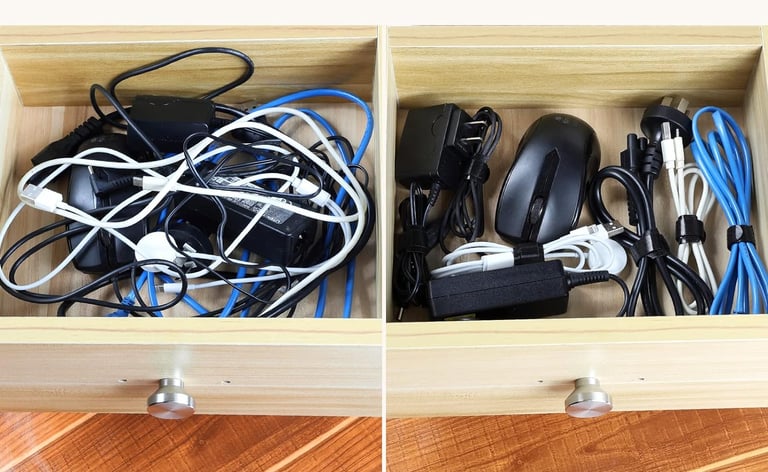
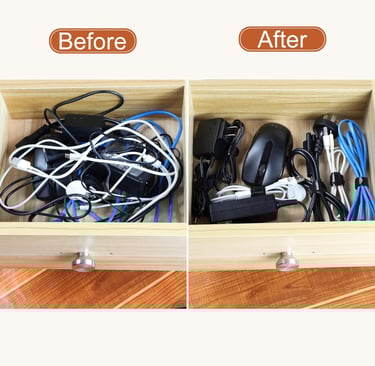
For people who need to organize a lot of small cords in tight spaces, these 6‑inch cable ties are a simple yet effective solution. Each tie uses durable microfiber cloth with hook‑and‑loop fasteners, so you can open and reseal as many times as needed without losing stickiness. The 120‑pack provides enough ties to manage computer cords, chargers, headphones or lamp cables, and because each tie is only 6 inches long, it won’t overwhelm drawer organizers or small office setups. Their flexibility makes them ideal for bundling wires behind monitors or along table edges without taking up much space.
Location: Desktop, drawer or travel | Capacity: 120 ties | Material: Microfiber cloth | Dimensions: 6 in long per tie
Best Variety
EUREKA 316 PCS Cable Management Kit
Credit: Amazon
Pros
Comprehensive kit includes trays, clips, sleeves and ties for diverse setups
Cons
The kit’s size may be excessive for minimal cable setups
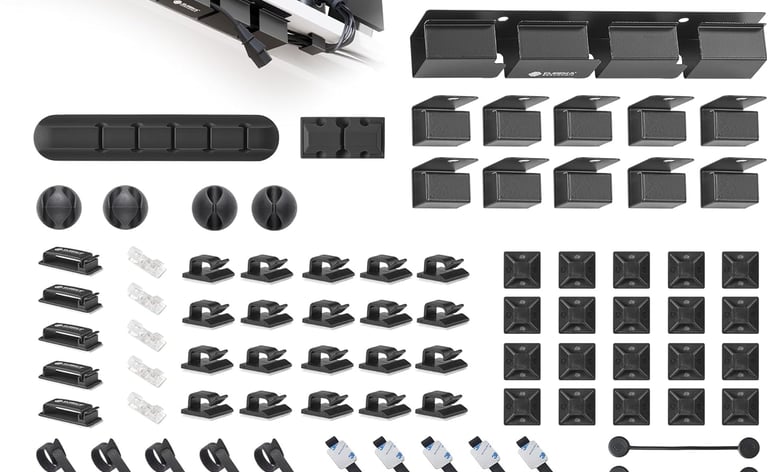
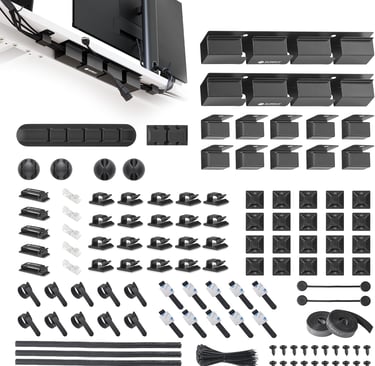
Gamers and multi‑device users who want a one‑stop solution will appreciate Eureka Ergonomic’s expansive 316‑piece kit. The set includes two open‑top cable raceways made of metal for heavy‑duty under‑desk use, 60 adhesive cable clips in four sizes, four cable sleeves for bundling thick cords, six magnetic cord holders, two rolls of reusable wire ties, and 200 nylon zip ties. With so many different pieces, it’s easy to tailor the system to any office: hide cables along walls with raceways, secure them under a desk, or bundle cords behind a TV stand. The raceways’ split‑channel design lets you add or remove cables without disassembly, and all parts feature strong adhesive or screw‑in mounting to stay in place.
Location: Under desk, walls, or desktop | Capacity: 316 components (2 raceways, 6 holders, 4 sleeves, 60 clips, 2 rolls ties, 200 zip ties) | Material: Metal and plastic | Dimensions: Not specified (various sizes)
Best Under Desk
SRJZMLY Cable Management Tray
Credit: Amazon
Pros
Modular design allows you to adjust tray length or height without tools
Cons
Clamp‑on mounting may not fit very thick desktop surfaces
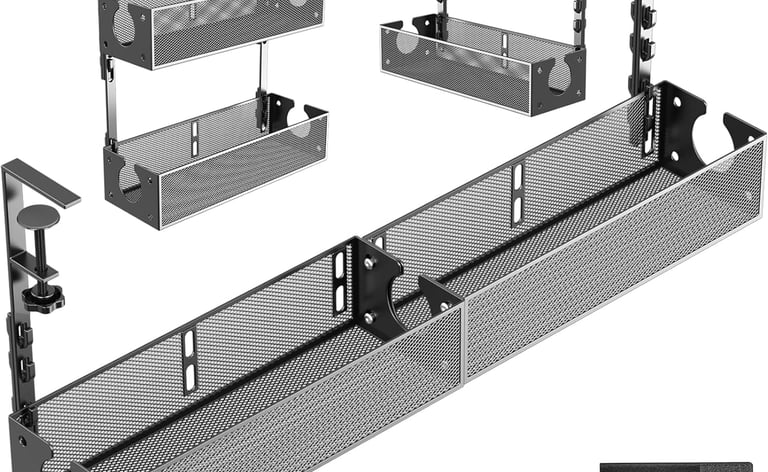
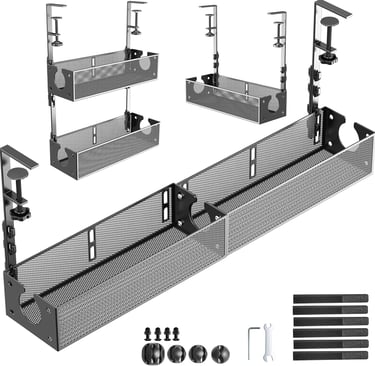
If your desk lacks a built‑in solution, the SRJZMLY trays offer an adaptable under‑desk cable organizer that requires no drilling. You receive two metal trays that can be combined horizontally to create a longer holder, stacked vertically for more height, or used separately depending on your cable volume. The system attaches to the desk with clamp‑style buckles—no screws or drills needed—making it renter‑friendly and easy to reposition. This tray is great for keeping power strips off the floor, hiding surge protectors, and clearing space for a footrest. Since the trays can be lengthened or raised, they’re versatile enough for monitors, office equipment, or even kitchen spice racks.
Location: Under desk | Capacity: Two trays (configurable) | Material: Metal | Dimensions: 15.35 in × 11.22 in × 3.14 in (per tray)
Best for Adaptability
OSPNIEEK Cable Management Box
Credit: Amazon
Pros
Includes multiple box sizes and accessories to hide power strips and cords
Cons
Boxes are made of ABS plastic, which may scratch if not handled carefully
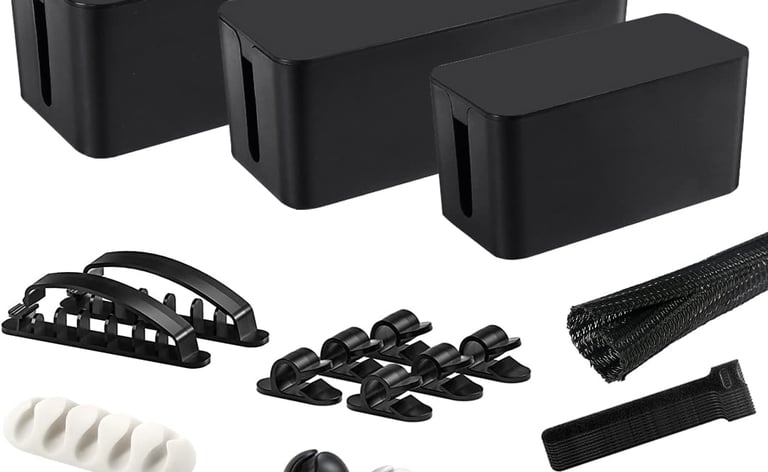
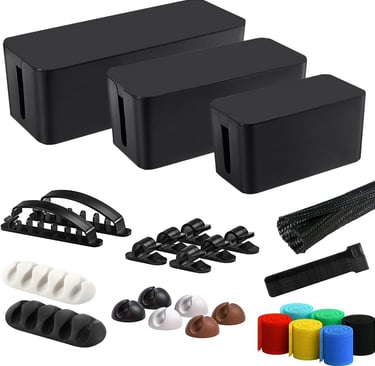
For households with multiple power strips or shared workspaces, OSPNIEEK’s cable management set offers adaptable storage that keeps cords out of sight and away from children or pets. The kit includes three boxes—extra large (15.7 in), large (12.5 in) and medium (9.3 in)—each with openings on both sides for ventilation and easy cable routing. Also included are 33 accessories: hook‑and‑loop ties to bundle loose cables, adhesive clips for routing cords along desks or walls, and a flexible sleeve for wrapping thicker cords. The boxes are made of durable ABS plastic and can be used under a desk or on the floor, making them versatile for offices, entertainment centers and bedrooms. They’re particularly useful if you want a cleaner look without drilling or mounting trays to furniture.
Location: Floor, under desk or media center | Capacity: 3 boxes (XL 15.7 in × 6.2 in × 5.4 in; L 12.5 in × 5.3 in × 5 in; M 9.3 in × 4.7 in × 4.5 in) plus 33 accessories | Material: ABS plastic | Dimensions: See above
Best Premium
Ascrono Under Desk Cable Manager
Credit: Amazon
Pros
Fabric construction is fire‑retardant, dust‑resistant and stylish
Cons
Higher price compared to metal or plastic trays
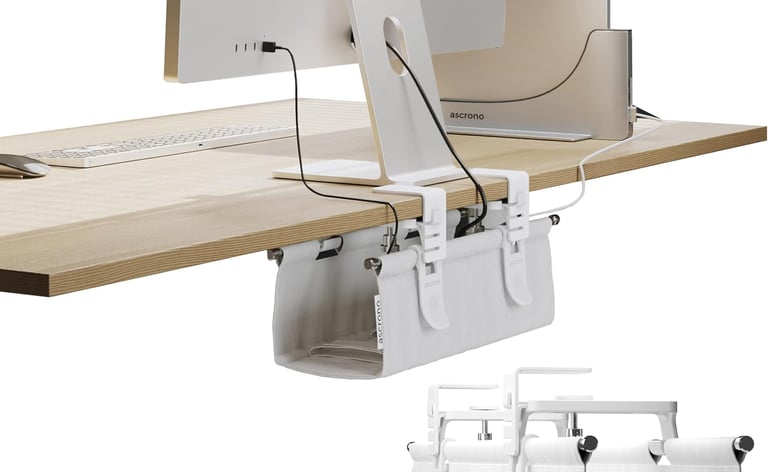
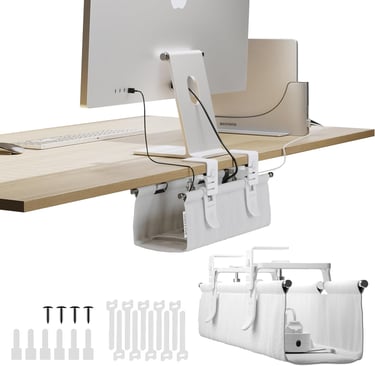
Ascrono’s fabric cable management tray caters to users seeking a refined finish and easy installation. The mini 14.1‑inch tray attaches under a desk using a clamp or the included screws, supporting up to 66 pounds. Its fire‑retardant, dust‑resistant fabric conceals cords and power strips while offering a softer appearance than bare metal. Available in multiple sizes, the tray suits both standing and fixed desks, and its removable ties help secure wires in place. This premium choice stands out for its combination of safety features and aesthetic appeal, making it suitable for professional offices or high‑end gaming stations where design matters.
Location: Under desk | Capacity: 14.1‑inch tray | Material: Fabric with clamp or screw mount | Dimensions: 14.1 in × 14.1 in
Our Top Choice
Among all the organizers tested, MUXA’s Cord Organizer stands out as the best budget choice for most users. With a price under $10, these clips offer an intuitive magnetic buckle that makes securing or releasing cables effortless, especially when charging phones, tablets or laptops. The 3M adhesive sticks well to smooth surfaces like desktops, bedside tables or car dashboards, and the clips are sized to hold most charging cables and small HDMI or USB cords. While the clips aren’t intended to hide large power bricks, their affordability and ease of use make them a smart first step toward a tidy workspace for any individual.
How We Chose
To assemble our list of the best under‑desk cable management solutions, we evaluated dozens of products based on pricing, build quality and adaptability. Each item had to be readily available and backed by positive customer reviews. We prioritized durable materials like powder‑coated steel, ABS plastic and fire‑retardant fabric because these hold up to daily wear, resist bending and help prevent accidents. Capacity mattered too—trays needed to hold at least one power strip and several cords, while kits needed a mix of clips, sleeves and ties to address varied setups. We also considered installation methods, no‑drill or clamp‑mounted options earned extra points for being renter‑friendly, though we still included a screw‑mounted raceway kit for those who need maximum stability. Finally, we looked at overall usefulness. Products that solved specific pain points—such as magnetic clips for quick access or boxes for concealing large surge protectors—were favored over generic solutions.
Buying Guide
Capacity
Think about how many devices you use daily and how many cords each device requires. A simple laptop and phone charger may only need a few clips, while a home office with monitors, speakers and network equipment might require a tray or kit that accommodates multiple surge protectors. Kits like the EUREKA 316 PCS Cable Management Kit, offers everything from raceways to zip ties for expansive needs, whereas reusable ties work well for minimal setups.
Space & Placement
Measure the area where you plan to install your organizer. Under‑desk trays need a desk lip or mounting surface. Boxes require floor or shelf space but hide everything from view. Consider whether you want cords hidden entirely, stored neatly against the underside of your desk or simply bundled behind your monitor.
Material
Cable organizers come in metal, plastic and fabric. Metal trays and raceways offer strength and heat resistance but require drilling or clamps. Plastic boxes and clips are lightweight, affordable and renter‑friendly, although they may crack over time or struggle with heavy loads. Fabric‑wrapped trays combine the strength of steel with a softer, more refined finish and are often fire‑retardant.
Installation
If you rent or don’t want to damage your desk, choose clamp‑mounted trays or adhesive clips. Clamp systems are easy to install and remove. Adhesive clips and boxes are the most renter‑friendly but may lose grip on textured surfaces. Screw‑mounted raceways and trays provide the highest weight capacity and stability but require permanent holes.
Considerations
When selecting a cable management solution, it’s important to focus on how you’ll use the product and the space available. For light setups with just a few charging cords, magnetic clips or hook‑and‑loop ties may be sufficient. Large gaming desks or home offices often require a combination of trays and sleeves to keep power strips off the floor and wires neatly bundled. Also consider the surfaces you’re mounting on—clamps and adhesive pads are renter‑friendly, while screw‑in trays provide longer‑lasting support. By matching the organizer to your needs and measuring your desk or cabinet area beforehand, you’ll avoid overcrowding and maintain easy access to outlets.
FAQs
How do I choose the right size cable management tray for my desk?
Measure the inner width of your desk before purchasing; most trays list their minimum and maximum dimensions. If you’re using a clamp‑on model, ensure your desktop thickness falls within the recommended range.
Are adhesive cable clips safe for painted or wooden surfaces?
High‑quality clips use 3M or similar adhesive that adheres firmly but can be removed without leaving residue on smooth surfaces. Always clean the area first and test in an inconspicuous spot if you’re unsure.
How many cable ties or clips do I need?
A handful of clips or 10–20 ties is often enough for a small setup with a laptop, monitor and accessories. Larger offices or entertainment centers may benefit from bulk packs like 120‑piece tie sets or kits with multiple trays and clips.
Can I use cable management products on standing desks?
Yes, many trays, sleeves and clips are designed for height‑adjustable desks. Look for flexible mounting options like clamps or adhesive mounts so the cables can move freely when the desk changes position.
Expertise
Joshua Leist writes about home organization with a practical, research-driven focus on solutions that improve how everyday spaces function. His perspective is shaped by firsthand exposure to well-designed homes, where thoughtful storage and layout choices make a measurable difference in daily living.
Alongside this, his past experience living in dorms and shared housing built a strong understanding of small-space challenges, where efficient organization is essential. With a background as a writing advisor, Joshua emphasizes clear structure, evidence-based comparisons, and transparent pros and cons. All recommendations are selected independently to help readers make confident, practical decisions for their homes.
Contact
© 2026. All rights reserved Clever Home Finds.
Clever Home Finds
Weekly Home Finds
Clever Home Finds participates in the Amazon Services LCC Associates program.